
There are two ways to decline a review request.
Option 1
- To decline, simply click the decline button in the review form.
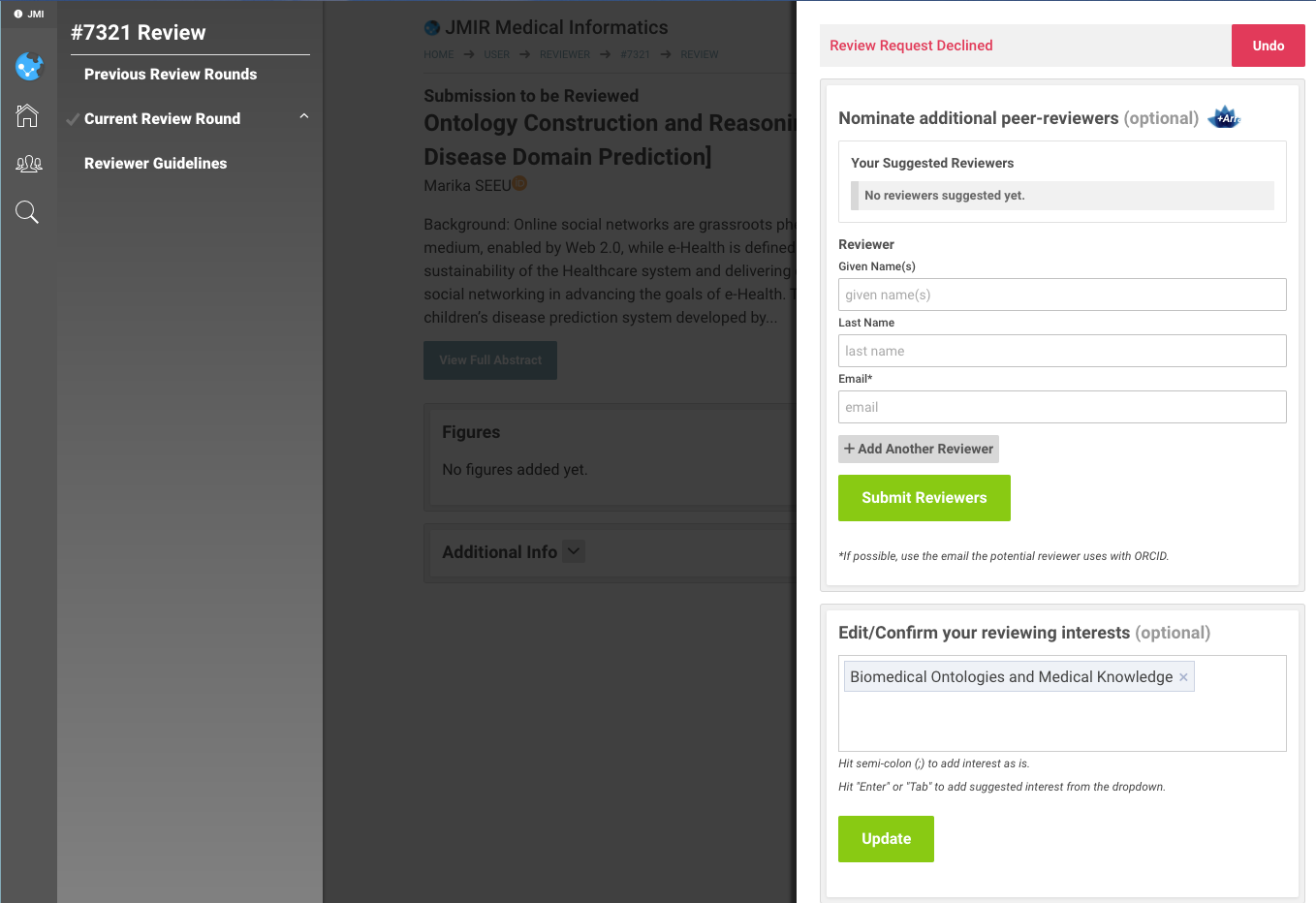
- If a page with a red "Review Request Declined" appears, then this response has been registered. No further action is necessary.
Option 2
- In the original review request, click the link to the peer-review form in the first line of the email (e.g., https://www.jmir.org/reviewer/submission/166100?key=xxxxxx)
- Under 'Accept or Decline Review Request', select the 'I decline to do this review' radio button.
- Click the green Continue button
Declining After Accepting a Review Invitation
If you initially accepted an invitation to review the paper, but decide to not review it, go to the review form linked to in the invitation email, and click the CANCEL button. See also:
- I agreed to review an article but realized I have a conflict of interest. How can I cancel?
- I agreed to review an article but after opening the submission I realized I am not qualified at all to review the paper
Steps After Declining
| After you decline, a window shows up with the red message Review Request Declined. At this point, your decline is stored in our system, and you will not receive further reminders to respond. You can return to the homepage by clicking on the JMIR logo without completing the remainder of the form. |
The following steps are optional after you declined and not required in order to register your decline decision:
- It would be great if you could suggest additional reviewers.
- Please review and/or enter your review interests to receive more targeted review requests in the future.
- If you change your mind and want to review the article, click the red "Undo" button, and then accept the review request. This option is available as long as the editor has not made a decision yet.
 Related: